Browse docs
Evaluate Mockspace for your team
Understand the workflow, setup effort, local and hosted data boundaries, and what to verify in a first team review.
On this page
What your team gets#
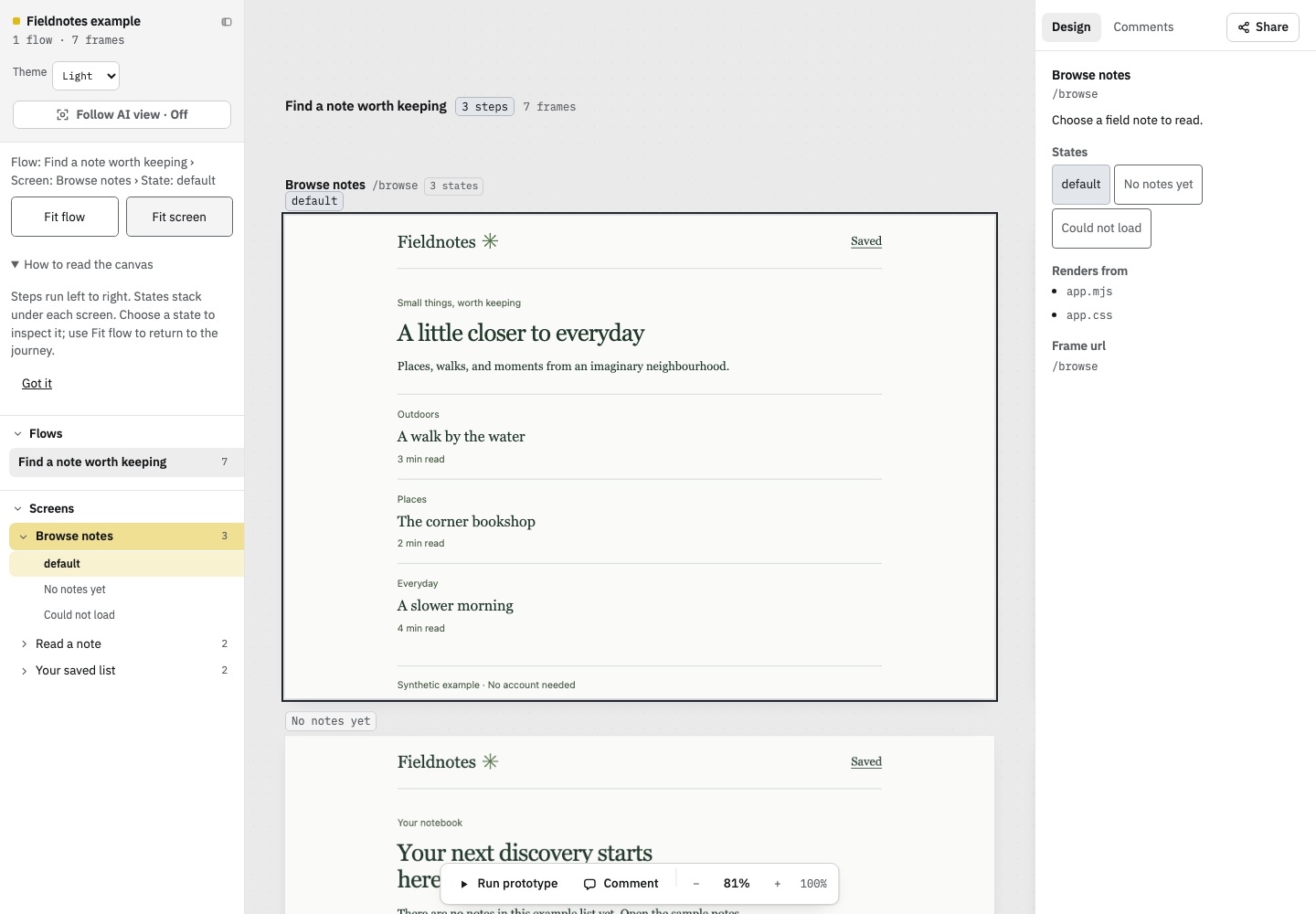
Mockspace puts a web application's real screen states into a flow you can review together. Developers prepare one journey; designers and product reviewers inspect its normal, empty, and failure states. A shared review can include pinned comments and comparisons with an earlier build. A coding agent can use the review's structured context through MCP.
Use the interactive example to judge the screen/state model before installing anything. It is a sample notebook with three screens and seven states, and it requires no account.
When it fits#
Mockspace is useful when your team needs to review implemented product behavior, check states that are difficult to reach manually, or give an agent precise feedback tied to a screen.
You need a web app you can run locally, source access for the person preparing it, Node.js 20.6 or later, and fixtures or routes that reach each state. Your app owns its data and mocks. Setup effort depends on how many of those states already exist and whether the app can run without a production backend.
It is not a design authoring tool or a replacement for functional tests. A canvas can reveal a broken or missing state; it does not prove that every production interaction is correct. Native mobile apps are outside this web-app workflow.
Local evaluation and shared reviews#
- Interactive example: a synthetic app in this website. Anyone can open it without setup.
- Local canvas: your app, viewer, and proxies run on your computer. A developer or coding agent prepares the flow.
- Static build: captures rendered HTML, styles, assets, and review metadata. The person preparing the review runs capture and inspects the result.
- Hosted review: an uploaded static build follows the service's access rules. The publisher prepares it; reviewers open a browser link.
Your first local result does not require signing in or publishing. The launcher connects to the configured service to get the CLI. Your app and fixtures remain local during local review; publishing is a separate command that uploads the build you select. See installation and authentication and visibility.
Run a useful evaluation#
- Choose one journey your team is about to review. Include a normal state, an empty result, and a failure worth recovering from.
- Follow the Quickstart. Ask your agent to report setup work, missing states, and the actual viewer URL.
- Have a designer or product reviewer walk the whole flow. Check whether each state's purpose is clear and whether missing behavior becomes easier to discuss.
- If your team has hosted access, publish an inspected build and have a second person open the review link and add a comment.
- Decide whether the review reduces manual screenshot preparation and repeated explanations. Record what still required developer help.
A useful first result is a working flow your team can discuss, with gaps stated honestly. Do not treat a canvas full of duplicate screens, login walls, or unreachable states as a successful evaluation.
Before using it across a team#
For hosted access, contact the person who operates your organization's Mockspace service. Confirm who can sign in, where uploaded builds are stored, how long reviews are retained, and who handles access and support. Those choices depend on the deployment.
Review capture contents before publishing: static builds contain rendered screen data and assets. Use fixtures appropriate for the audience. Project visibility means people with access to that project; it does not imply that the entire internet can read the review.
For setup failures, start with Troubleshooting. For the review workflow, read Review and share. Purchasing terms, commercial support commitments, and organization-specific hosting policies need to be confirmed with the operator; they are not established by this documentation.